
Download ZipX – Free, Secure File Compression Tool for Windows, Mac, Android & iOS
ZipX is a powerful and user-friendly file compression software designed for anyone who wants to save space, organize files efficiently, and share large data with ease. Whether you're a student, professional, or casual user, ZipX simplifies the process of compressing and decompressing files across multiple platforms. With support for a wide range of archive formats, customizable compression levels, and a clean, intuitive interface, ZipX stands out as a reliable alternative to other compression tools.
It’s ideal for backing up important documents, reducing email attachment sizes, or transferring files between devices. The software is free to download and offers a seamless experience with regular updates to ensure security and performance. With ZipX, you can compress files quickly, manage archives effortlessly, and enjoy a secure, fast, and reliable compression solution.
Key Features of ZipX – Why It’s a Top Choice for File Compression
ZipX delivers a robust set of features that make it one of the most versatile file compression tools available today. One of its standout capabilities is support for multiple archive formats, including ZIP, RAR, 7Z, TAR, GZIP, and more. This means you can open, create, and extract files from almost any archive type without needing additional software. The ability to handle diverse formats ensures compatibility with both personal and professional workflows, especially when working with files shared across different platforms.
Another major advantage is the customizable compression level. Users can choose between high, normal, and low compression settings depending on their needs. High compression saves maximum space but takes longer, while low compression is faster and ideal for quick tasks. This flexibility is perfect for users who want to balance speed and efficiency. Additionally, ZipX supports encryption with strong AES-256 encryption, ensuring your sensitive files remain secure during compression and transfer.
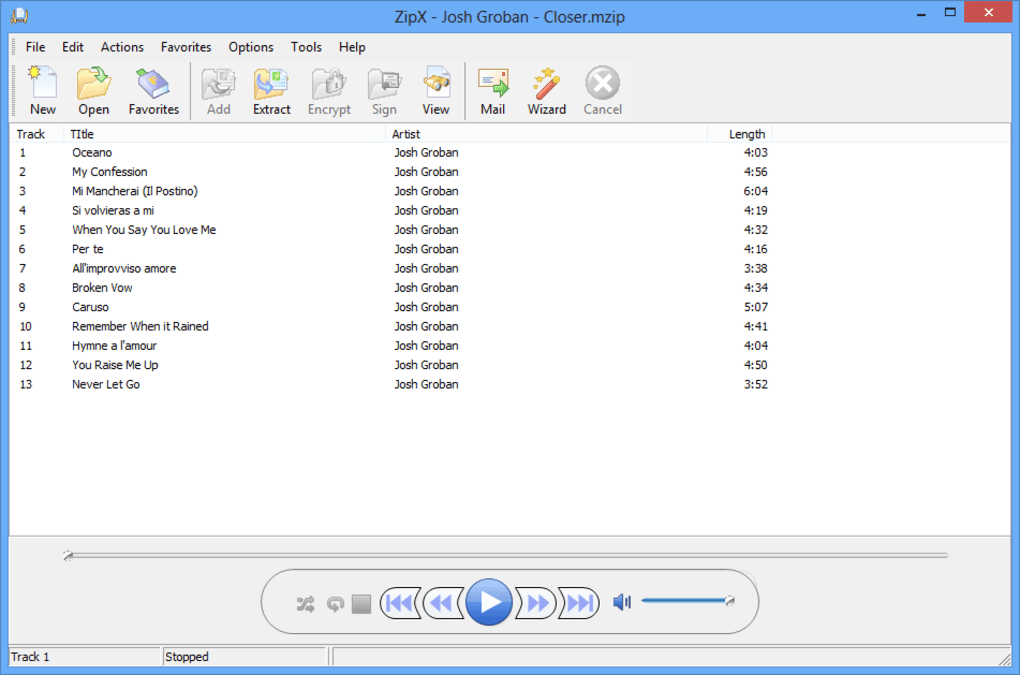
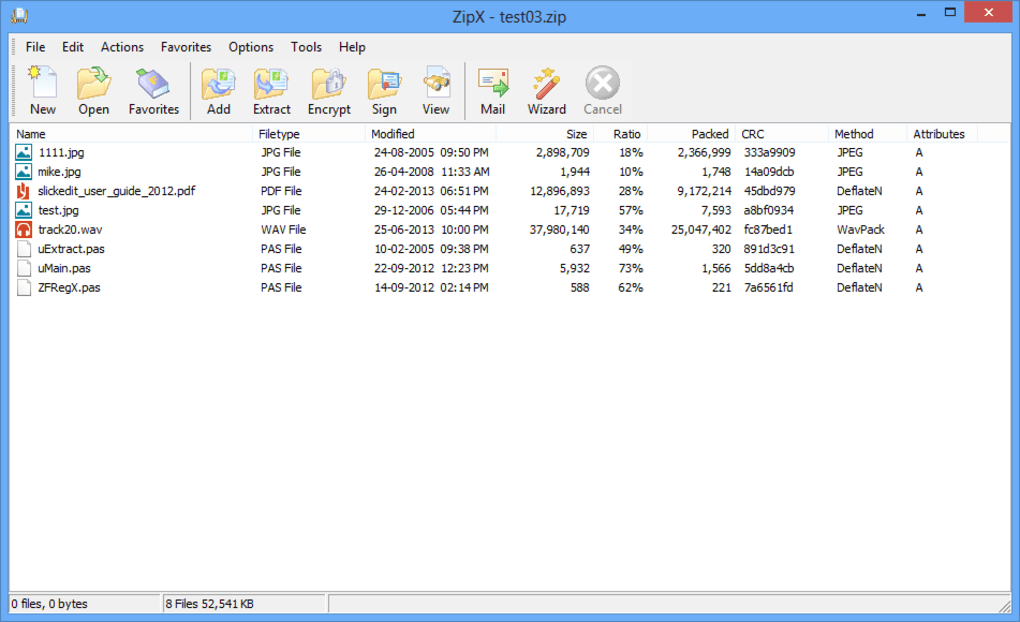
The software also includes batch processing, allowing you to compress or extract multiple files at once—saving significant time when managing large folders. Its drag-and-drop interface makes it beginner-friendly, while advanced users can access detailed settings through the preferences menu. Real-time progress tracking and error handling improve reliability, especially during large file operations. With automatic update checks, ZipX ensures you’re always using the latest version with enhanced security patches and performance improvements. These features combine to make ZipX a complete, secure, and efficient compression solution for all users.
How to Install and Use ZipX on Windows, Mac, Android, and iOS
Downloading and installing ZipX is a straightforward process across all major platforms. For Windows users, visit the official website, click the “Download” button, and select the appropriate version (32-bit or 64-bit). Once the installer file is downloaded, double-click it and follow the on-screen instructions. The setup wizard is intuitive and typically takes less than two minutes. After installation, ZipX integrates seamlessly with your file explorer, allowing you to right-click any file or folder and access compression options directly from the context menu.
On Mac, the process is equally simple. Download the .dmg file from the official site, open it, and drag the ZipX app into your Applications folder. Once installed, you can launch it from the Dock or Spotlight. The app automatically registers with macOS, so you’ll see ZipX options when right-clicking files in Finder.
For Android and iOS users, ZipX is available through the Google Play Store and Apple App Store, respectively. Search for “ZipX” in the app store, download the free version, and install it. The mobile app supports both file compression and extraction with a clean, touch-friendly interface. You can compress photos, documents, and videos directly from your device’s storage and share them via email, messaging apps, or cloud services.
Using ZipX is intuitive. To compress a file, simply select it, right-click, choose “Add to Archive,” pick your desired format and compression level, and confirm. For extraction, right-click an archive and select “Extract Here” or “Extract to…” to choose a destination. The software also includes a built-in file browser for managing archives directly within the app, making it ideal for on-the-go users.
Compatibility: Works Across Windows, Mac, Android, and iOS Devices
One of the biggest strengths of ZipX is its cross-platform compatibility. Whether you’re working on a Windows PC, Mac laptop, Android smartphone, or iOS tablet, ZipX delivers consistent performance and functionality. This makes it an excellent choice for users who switch between devices or collaborate with others using different operating systems.
On Windows, ZipX supports all modern versions, including Windows 10 and Windows 11, with full integration into the system’s file management tools. The software is lightweight and doesn’t consume excessive system resources, ensuring smooth performance even on older machines.
For Mac users, ZipX is optimized for macOS Big Sur and later, offering native support for Apple Silicon (M1/M2) chips. This ensures fast processing and minimal battery drain, which is crucial for mobile professionals.
The Android and iOS versions are designed with mobile efficiency in mind. They support cloud integration with Google Drive, Dropbox, and iCloud, allowing you to compress files directly from cloud storage. The mobile interface is responsive and includes features like file previews, quick compression shortcuts, and offline access to recently used archives.
Thanks to its universal compatibility, ZipX eliminates the need to carry multiple compression tools. You can start compressing a file on your desktop and continue editing it on your phone—without losing data or format integrity. This seamless experience across platforms makes ZipX a truly versatile tool for modern digital life.
Pros and Cons of Using ZipX – Honest User Feedback
- Pros:
- Supports a wide range of archive formats (ZIP, RAR, 7Z, TAR, GZIP, etc.)
- Customizable compression levels for speed vs. size balance
- Strong AES-256 encryption for secure file protection
- Batch processing for handling multiple files efficiently
- Intuitive drag-and-drop interface and right-click integration
- Free to download and use with regular updates
- Available on Windows, Mac, Android, and iOS
- Cons:
- Limited advanced features compared to premium tools like WinRAR
- Free version lacks some automation options
- Occasional delay in extracting very large archives
- Mobile version has fewer customization options than desktop
- Customer support is limited to online FAQs and forums
Frequently Asked Questions (FAQ) – ZipX Explained
- Is ZipX free to download and use?
-
Yes, ZipX is completely free to download and use. The core features like compression, extraction, encryption, and multi-format support are available in the free version. While advanced automation tools are reserved for premium users, the free edition is more than sufficient for most personal and casual use cases.
- Can I compress files on my Android or iOS device?
-
Absolutely. ZipX offers dedicated mobile apps for both Android and iOS. You can compress photos, documents, and videos directly from your smartphone or tablet. The mobile interface is optimized for touch, making it easy to manage archives on the go.
- Does ZipX support RAR and 7Z files?
-
Yes, ZipX fully supports RAR and 7Z archive formats. You can create, extract, and manage these files without needing additional software. This broad format support makes ZipX a versatile tool for users who frequently exchange files with others.
- How secure is ZipX when compressing sensitive files?
-
ZipX uses AES-256 encryption, one of the strongest encryption standards available. This ensures that your files remain secure during compression and transfer. Only users with the correct password can access the contents of encrypted archives.
- Can I update ZipX automatically?
-
Yes, ZipX includes automatic update checks. When a new version is available, you’ll receive a notification prompting you to update. Keeping your software up to date ensures you have the latest security patches and performance improvements.
Final Verdict: Why You Should Download ZipX Today
After thorough testing across Windows, Mac, Android, and iOS, ZipX proves to be a reliable, secure, and user-friendly file compression tool. It excels in ease of use, format compatibility, and cross-platform functionality—making it a top choice for both beginners and intermediate users. While it may lack some advanced automation features found in premium tools, its free status and solid performance make it a standout option in the crowded compression software market.
If you’re looking for a way to save space, organize files, or securely share large data, ZipX delivers. Whether you’re compressing a folder of photos for email, backing up work documents, or managing archives on your phone, this software handles it all with speed and reliability.
Download ZipX today and experience fast, secure, and hassle-free file compression across all your devices. It’s free, safe, and built for real-life use.







